
1. Introduction#
1.1 Motivation: Event-driven updating without polling#
In classic web applications, the pull principle still dominates: Clients repeatedly make requests to the server to detect changes. This polling is simple, but it leads to unnecessary load on the server and network side, especially if the data stock changes only sporadically. Server-Sent Events (SSE) is a standardised procedure that allows the server to signal changes to connected clients actively. This avoids unnecessary requests, while updates reach the interface promptly.
- 1. Introduction
- 2. Conceptual Foundations
- 3. Architecture of the demonstrator
- 4. Data and event model
- 5. REST/SSE Server with In-Process CLI
- 6. Vaadin Flow Integration (without JavaScript)
- 7. Implementation – REST SSE Server
- 8. Implementation – Vaadin Flow UI
- 9. Summary
1.2 Objectives and delimitation#
This article aims to demonstrate the basic functionality of SSE in interaction with a Vaadin Flow application. The focus is on the separation of signalling and data retrieval: While SSE is used exclusively for notifications, the actual retrieval of the new data is done via REST endpoints. Security aspects such as authentication or authorisation, as well as persistent data storage, are deliberately excluded to emphasise the core idea clearly.
The code is under the following URL on github:
https://github.com/Java-Publications/Blog---Vaadin---How-to-consume-SSE-from-a-REST-Service
1.3 Overview of the demonstration scenario#
The demonstrator consists of three components:
- REST/SSE server with CLI input : New data is entered directly from the console during runtime and stored in simple in-memory storage. Each input immediately triggers an SSE signal.
- SSE signal : The server sends an event after each input that tells the clients that new data is available.
- Vaadin Flow application : The UI registers as an SSE client, displays notifications about new data and allows users to reload and display them in a targeted manner via REST retrieval.
This constellation provides a clear and comprehensible example of integrating SSE into a server-side Java UI framework. The separation between signal and data allows for a robust and easy-to-understand architecture that is suitable for a wide range of real-time scenarios.
2. Conceptual Foundations#
2.1 Server-Sent Events (SSE)#
Server-sent events (SSE) are a standardised procedure for continuously transmitting messages from the server to the client. Communication is unidirectional: the server sends, the client receives. Technically, SSE is based on a persistent HTTP connection with the MIME type text/event-stream. Messages consist of simple lines of text and are interpreted by the browser or a client framework.
The advantages of SSE include the simplicity of implementation, automatic client-side reconnect, and good integration into existing HTTP infrastructures. Limitations result from the restriction to UTF-8 text and the lack of possibility of bidirectional communication. However, for pure notifications and status messages, SSE is usually more efficient and robust than more complex alternatives such as WebSockets or Long Polling.
2.2 REST as a transport channel for payload data#
REST-based endpoints have established themselves as the standard for transmitting structured or binary data. They are stateless, easily scalable and benefit from established infrastructure such as caching and monitoring. In this demonstration scenario, REST is used to provide the actual data that the client explicitly requests after a notification via SSE. This separation ensures clear responsibilities: SSE signals that something has changed; REST offers the content.
2.3 Vaadin Flow: Server-Side UI Model and Push#
Vaadin Flow is a server-side Java framework for web application development. The UI logic runs on the server, while the browser only takes care of the display. Changes in server state are transmitted to the client via a synchronised communication channel. For the integration of SSE, it is particularly relevant that Vaadin works with push : Server-side events can be transferred directly to the interface. This allows the reception of SSE signals to be elegantly combined with UI updates without the need for client-side JavaScript.
3. Architecture of the demonstrator#
3.1 Component Overview#
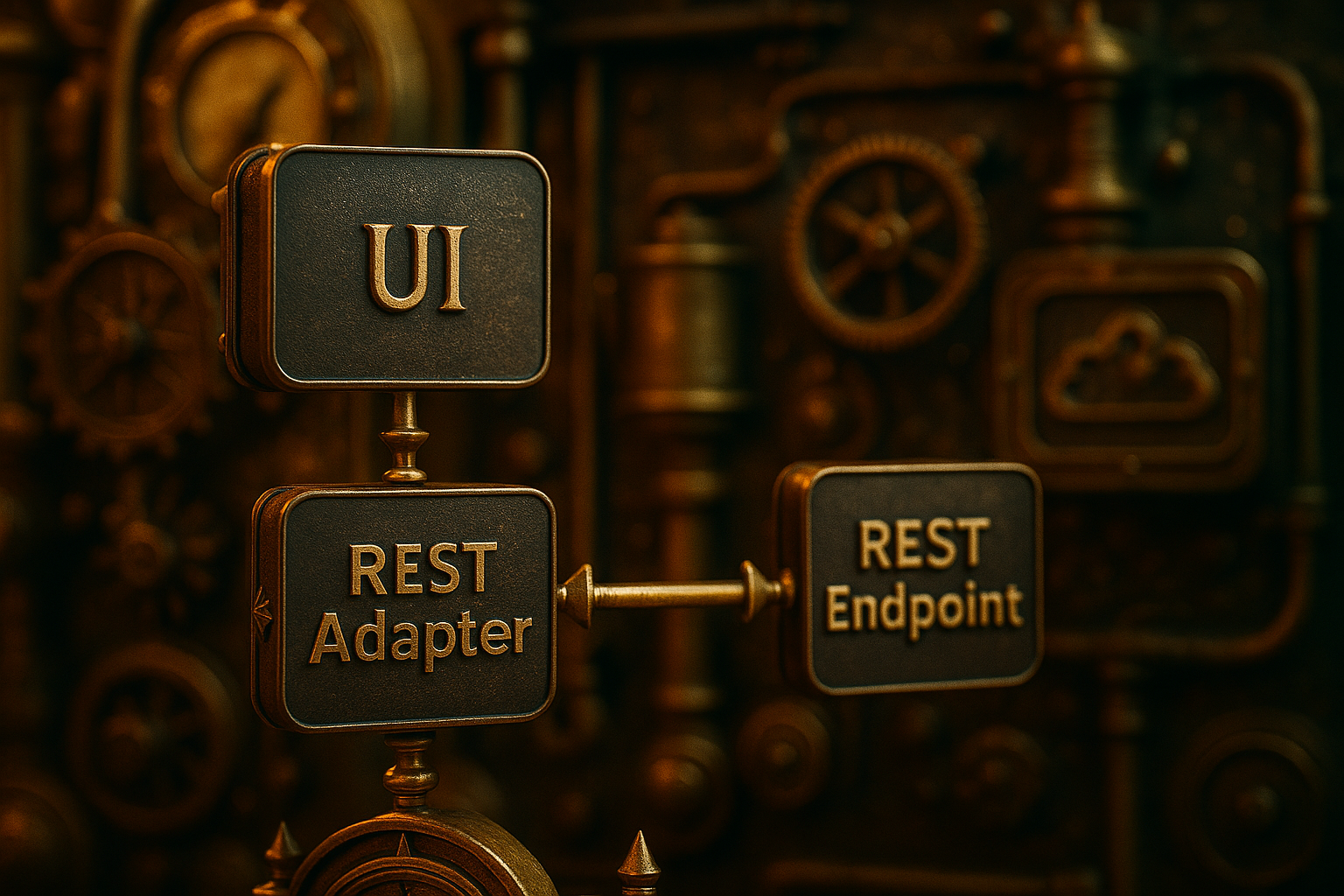
The demonstrator consists of three main components. The first component is the REST/SSE server. It is responsible for providing an endpoint for entering new data, storing this data in memory and simultaneously sending signals to the connected clients via SSE as soon as the data stock changes. In addition, it provides REST endpoints through which the clients can retrieve the current data.
The second component is the in-process CLI , which is embedded directly in the server process. It enables manual entry of new data rows via the console during runtime. Each input is immediately stored as a data record in the in-memory. At the same time, this process triggers an event that is forwarded to the connected clients via SSE.
The third component is the Vaadin Flow application. It acts as a client that receives the signals sent via SSE and informs users that new data is available. If desired, the application can load this data specifically via the provided REST endpoints and display it directly in the user interface. This covers the entire process from input to signalling to visibility in the UI.
3.2 Communication relationships#
The architecture follows the pattern signal via SSE, data via REST. As soon as the CLI receives a new input, the server stores the entry in memory and sends a corresponding SSE update to all connected clients. The Vaadin application receives this signal, informs the user of the availability of new data, and provides an option for targeted retrieval. Via a subsequent REST request, the Vaadin application requests the data and updates the user interface.
3.3 Runtime Environment and Assumptions#
Some deliberately simplified framework conditions apply to the demonstration. The server and Vaadin application run locally on the same host, but in separate processes and typically on different ports, such as 8080 for the server and 8081 for the UI. This simulates a realistic separation of the systems without the need for a complex infrastructure.
In addition, the CORS policy is set in such a way that access is possible without restriction. This open configuration is only for the sake of simplifying the demonstration, as security considerations are not taken into account in this scenario.
The data is stored exclusively in the working memory. Each record entered remains available only during runtime and is lost after the process ends. Persistence mechanisms such as databases or file systems are deliberately not used in this example to focus entirely on the interaction of CLI input, SSE signal and REST retrieval.
This architecture is deliberately kept simple to demonstrate the functionality of SSE in combination with REST and Vaadin Flow in a clear and comprehensible way.
4. Data and event model#
4.1 Record Structure#
In the demonstration scenario, new data is generated by entering lines of text in the CLI. Each entry is stored in the server in the form of a simple data record. This consists of a consecutive sequence number that is incremented with each input, a timestamp that documents the time of entry, and the actual content, i.e. the text entered by the operator. It is implicitly assumed that both the REST/SSE server and the Vaadin application are based on the same system time. This is the only way to compare the timestamps directly without the need for additional synchronisation mechanisms. This structure is deliberately kept minimalist to ensure traceability and to focus on the interaction of the components.
4.2 Event Types and Semantics#
Communication between server and client takes place via events that are transmitted in SSE format. The focus is on the update event, which is always sent when a new record is added. At a minimum, the current sequence number is transmitted as the data load of this event, so that the client can detect whether there are any new entries for it. Optionally, an init event could also be used, which signals the start state when a new connection is established. Other event types, such as reset or snapshot, can be provided for advanced scenarios, but are not required for demonstration.
4.3 Sequence numbering and idempotent reloading#
The sequence number plays a central role in the consistency between server and client. It enables the retrieval of only the data records added since the last known number via REST. This allows clients to remain correctly synchronised even if they have missed one or more SSE signals. This makes the reload idempotent: a new call with the same since specification always returns the same result set, regardless of how often it is repeated. This principle facilitates fault tolerance and ensures a stable processing chain.
5. REST/SSE Server with In-Process CLI#
5.1 Operating concept of the CLI#
The server process has an integrated command line interface that can be used to enter new records during runtime. Each input corresponds to a single line of text that is taken directly into the in-memory. This simple operating concept allows the data source to be controlled manually and thus trigger targeted events, which are then signalled to the clients via SSE.
5.2 Append Log and Consistency Considerations#
The entries are stored in the form of an append log: Each new record is added to the end of the existing list. The sequential sequence number ensures that the sequence can be clearly determined. This simple structure ensures that all clients can consistently reload the same state when needed. More complex mechanisms, such as transactions or locks, are not required for demonstration.
5.3 SSE Broadcast: Trigger on Successful Input#
As soon as a new record is added to memory, the server immediately generates an SSE event of type update. This event is sent out to all connected clients and contains at least the current sequence number. This enables all registered recipients to recognise that new data is available. The actual content is not transmitted, but is reserved for later retrieval via REST.
5.4 Optional optimisations#
For a demonstration scenario, it is sufficient to forward each new event immediately. However, in more realistic environments, optimisations can be helpful. This includes, for example, combining several fast inputs into a combined update signal to reduce the number of messages transmitted. Similarly, regular ping comments can be used to stabilise the connection and ensure that inactive clients are detected and removed. These measures increase robustness, but are not necessary for functional demonstration. We will explore these concepts further in another article, specifically when we discuss the open-source URL shortener project.
6. Vaadin Flow Integration (without JavaScript)#
6.1 Server-Side SSE Client#
The Vaadin Flow application operates a server-side SSE client that is permanently connected to the SSE endpoint of the REST server. This allows the application to receive signals independently of client-side JavaScript and process them directly on the server side. If a connection is interrupted, a reconnect attempt is automatically started so that the UI remains continuously informed about the current status.
6.2 UI Synchronisation and Push#
Since Vaadin Flow works on the principle of a server-side UI model, external events must be integrated into the UI thread. This is done via synchronised accesses, which ensure that changes are executed consistently and thread-safe. In combination with Vaadin Push, incoming SSE signals can be converted directly into visible updates. Users notice the update immediately, without the need for a manual refresh. We deliberately disregard the special case of a complete page reload at this point.
6.3 Interaction patterns#
The Vaadin interface is designed to only display a hint at first, rather than automatically loading all new data upon arrival of an incoming SSE signal. This can be done in the form of a notification or by activating a button. Only through a conscious action by the user is the new data retrieved via REST and integrated into the interface. In addition, the user can selectively decide which detailed data is of interest. This interaction pattern illustrates the separation of signalling and data retrieval and makes the functionality particularly clear for demonstration purposes.
6.4 Delta Retrieval and Full Recall#
When reloading the data via REST, a distinction can be made between two modes: A complete retrieval always loads the entire data set. In contrast, a delta retrieval retrieves only those entries that have been added since the last known sequence number. If no sequence number is available, the entire database is not transferred, but only the last n messages are loaded. This procedure is sufficient for the demonstration, as it facilitates traceability. In scenarios closer to production, delta retrieval still offers advantages in terms of efficiency and bandwidth.
7. Implementation – REST SSE Server#
7.1 REST Server#
The RestServer bundles the entire server functionality based on com.sun.net.httpserver.HttpServer. It initialises the three endpoints of the demonstrator (/sse, /data, /health) and manages the server resources required for SSE. These include the number of currently connected output streams (sseClients), an in-memory append log of the data records, and the execution services required at runtime (a Scheduled Executor for Keep pings and a Connection Executor for long-lived SSE connections).
During operation, the server starts a CLIThread that receives rows from stdin and inserts them into the log as new records. Each entry is given a monotonic sequence number and a time stamp; an SSEUpdate is then sent to all connected clients. The RestServer also provides helper functions for CORSHeader, standardised answers, query parsing, and the output of the SSE form. The since(long) and lastN(int) methods map the REST reading paths: They either return all entries after a specific sequence number or the last n entries for initial synchronisation if no sequence is yet known.
package com.svenruppert.rest;

public class RestServer {

  public static final int DEFAULT_LAST_N = 20;
  public static final String PATH_SSE = "/sse";
  public static final String PATH_DATA = "/data";
  public static final String PATH_HEALTH = "/health";
  public static final String CONTENT_TYPE = "text/plain; charset=utf-8";
  public static final int PORT = 8080;
  public static final long PING_INTERVAL_MILLIS = 30_000L;

  protected static final String ACCESS_CONTROL_ALLOW_ORIGIN = "Access-Control-Allow-Origin";

  private final HttpServer http;
  private final Set<OutputStream> sseClients = ConcurrentHashMap.newKeySet();
  private final CopyOnWriteArrayList<Entry> store = new CopyOnWriteArrayList<>();
  private final ScheduledExecutorService scheduler = Executors.newScheduledThreadPool(2);
  private final ExecutorService connectionExecutor = Executors.newCachedThreadPool();
  private final AtomicLong seq = new AtomicLong(0);

  public RestServer(int port)
      throws IOException {
    http = HttpServer.create(new InetSocketAddress(port), 0);
    http.createContext(PATH_SSE, new SseHandler(this));
    http.createContext(PATH_DATA, new DataHandler(this));
    http.createContext(PATH_HEALTH, ex -> respond(ex, 200, "OK"));
    http.setExecutor(connectionExecutor);
  }

  ---Main---
  public static void main(String[] args)
      throws Exception {
    RestServer srv = new RestServer(PORT);
    Runtime.getRuntime().addShutdownHook(new Thread(srv::stop));
    srv.start();
  }

  public AtomicLong getSeq() {
    return seq;
  }

  public Set<OutputStream> getSseClients() {
    return sseClients;
  }

  public ScheduledExecutorService getScheduler() {
    return scheduler;
  }

  public ExecutorService getConnectionExecutor() {
    return connectionExecutor;
  }

  public void writeEvent(OutputStream os, String event, String data)
      throws IOException {
    os.write(sseFormat(event, data));
    os.flush();
  }

  public void writeComment(OutputStream os, String comment)
      throws IOException {
    os.write(("# " + comment + "\n\n").getBytes(StandardCharsets.UTF_8));
    os.flush();
  }

  public byte[] sseFormat(String event, String data) {
    String msg = "event: " + event + "\n" + "data: " + data + "\n\n";
    return msg.getBytes(StandardCharsets.UTF_8);
  }

  --- Utils ---
  public void addCors(HttpExchange ex) { ex.getResponseHeaders().add(ACCESS_CONTROL_ALLOW_ORIGIN, "*"); }
  public void respond(HttpExchange ex, int code, String body)
      throws IOException { respond(ex, code, body, CONTENT_TYPE); }
  public void respond(HttpExchange ex, int code, String body, String contentType)
      throws IOException {
    Headers h = ex.getResponseHeaders();
    h.add("Content-Type", contentType);
    byte[] bytes = body.getBytes(StandardCharsets.UTF_8);
    ex.sendResponseHeaders(code, bytes.length);
    try (OutputStream os = ex.getResponseBody()) {
      os.write(bytes);
    }
  }

  public Map<String, List<String>> parseQuery(URI uri) {
    Map<String, List<String>> map = new LinkedHashMap<>();
    String query = uri.getRawQuery();
    if (query == null || query.isEmpty()) return map;
    for (String pair : query.split("&")) {
      int idx = pair.indexOf('=');
      String key = idx > 0 ? decode(pair.substring(0, idx)) : decode(pair);
      String val = idx > 0 && pair.length() > idx + 1 ? decode(pair.substring(idx + 1)) : "";
      map.computeIfAbsent(key, k -> new ArrayList<>()).add(val);
    }
    return map;
  }

  public String decode(Strings) { return URLDecoder.decode(s, StandardCharsets.UTF_8); }
  public String first(List<String> list) { return (list == null || list.isEmpty()) ? null : list.get(0); }

  --- Start / Stop ---
  public void start() {
    http.start();
    System.out.println("REST/SSE server running on http://localhost:" + PORT);
    CLI thread for in-process input
    Thread cli = new Thread(this::cliLoop, "cli-loop");
    cli.setDaemon(true);
    cli.start();
  }

  public void stop() {
    try {
      http.stop(0);
    } catch (Exception ignored) {
    }
    try {
      scheduler.shutdownNow();
    } catch (Exception ignored) {
    }
    try {
      connectionExecutor.shutdownNow();
    } catch (Exception ignored) {
    }
    for (OutputStream os : sseClients) {
      try {
        os.close();
      } catch (IOException ignored) {
      }
    }
    sseClients.clear();
  }

  ---CLI---
  protected void cliLoop() {
    System.out.println("CLI ready. Type in lines of text. 'exit' terminates the server.");
    try (BufferedReader br = new BufferedReader(new InputStreamReader(System.in, StandardCharsets.UTF_8))) {
      String line;
      while ((line = br.readLine()) != null) {
        if (line.equalsIgnoreCase("exit")) {
          System.out.println("End server...");
          stop();
          break;
        }
        if (line.isBlank()) {
          System.out.println("(blank line ignored)");
          continue;
        }
        appendNew(line);
      }
    } catch (IOException e) {
      System.err.println("CLI exited: " + e.getMessage());
    }
  }

  private void appendNew(String text) {
    long n = seq.incrementAndGet();
    Entry e = new Entry(n, Instant.now(), text);
    store.add(e);
    System.out.println("[APPEND] " + e);
    broadcastUpdate(s);
  }

  private void broadcastUpdate(long highestSeq) {
    String payload = Long.toString(highestSeq);
    byte[] bytes = sseFormat("update", payload);
    List<OutputStream> dead = new ArrayList<>();
    for (OutputStream os : sseClients) {
      try {
        os.write(bytes);
        os.flush();
      } catch (IOException e) {
        dead.add(os);
      }
    }
    if (!dead.isEmpty()) sseClients.removeAll(dead);
  }

  public List<Entry> since(long s) {
    List<Entry> out = new ArrayList<>();
    for (Entry e : store) if (e.seq() > s) out.add(e);
    return out;
  }

  public List<Entry> lastN(int n) {
    int size = store.size();
    if (n <= 0) return List.of();
    int from = Math.max(0, size - n);
    return new ArrayList<>(store.subList(from, size));

  }

}
7.2 Entry#
Entry models a single record as a record with the fields seq (sequence number), ts (timestamp) and text (payload from the CLI). The record is immutable and therefore well-suited for concurrent read accesses. The toString() representation is deliberately kept simple and outputs the three fields in one line; it is used for text-based transmission via the /data endpoint and supports simple parsing on the client side.
package com.svenruppert.rest;

---Model---
public record Entry(long seq, Instant ts, String text) {
  @NotNull
  @Override
  public String toString() {
    return seq + "|" + DateTimeFormatter.ISO_INSTANT.format(ts) + "|" + text;
  }
}
7.3 SseHandler#
The SseHandler implements the SSE endpoint/sse. When called, it sets up the HTTP response for a text/event stream , inserts the client’s output stream into the managed set of SSE connections, and sends an initial event to confirm the successful connection. A periodic Keep‑Alive mechanism (Ping Comments) keeps the connection open and supports the detection of aborted clients. The handler works closely with the helper functions provided by the RestServer (writing individual events or comments, accessing schedulers, and connection management).
If there is a write error or the remote station is closed, the handler removes the connection from the set of active streams and cleans up associated resources. In combination with the server’s broadcasting, this creates a resilient but straightforward push model for signals via newly available data.
package com.svenruppert.rest.handler;

---SIZE---
public record SseHandler(RestServer restServer)
    implements HttpHandler {
  @Override
  public void handle(HttpExchange ex)
      throws IOException {
    if (!" GET".equals(ex.getRequestMethod())) {
      restServer.respond(ex, 405, "Method Not Allowed");
      return;
    }

    restServer.addCors(ex);
    Headers h = ex.getResponseHeaders();
    h.add("Content-Type", "text/event-stream; charset=utf-8");
    h.add("Cache-Control", "no-cache");
    h.add("Connection", "keep-alive");
    ex.sendResponseHeaders(200, 0);
    final OutputStream os = ex.getResponseBody();
    restServer.getSseClients().add(os);
    Initial Event
    restServer.writeEvent(os, "init", "ready");
    // Keep-Alive Pings
    ScheduledFuture<?> pinger = restServer.getScheduler().scheduleAtFixedRate(() -> {
      try {
        restServer.writeComment(os, "ping");
      } catch (IOException e) { /* will be closed below */ }
    }, RestServer.PING_INTERVAL_MILLIS, RestServer.PING_INTERVAL_MILLIS, TimeUnit.MILLISECONDS);

    //Keep blocking open until client/OS closes
    restServer.getConnectionExecutor().execute(() -> {
      try (os) {
        //NOP: we only write at events, otherwise Ping will keep the line open
        //Wait for an exception to occur/OS to close
        //(an explicit read/write loop is not necessary here)
        Thread.currentThread().join();
      } catch (InterruptedException ignored) {
      } catch (Exception ignored) {
      } finally {
        pinger.cancel(true);
        restServer.getSseClients().remove(os);
        try {
          os.close();
        } catch (IOException ignored) {
        }
      }
    });
  }
}
7.4 DataHandler#
The DataHandler provides the REST endpoint/data and implements the two intended read variants. Depending o sequence number is known,on the Query parameters, it returns all entries with a sequence number greater than a given the last n entries by default (configurable via DEFAULT_LAST_N or the lastN parameter). The response is generated as text/plain, with each record output on its own line.
The handler also validates the QueryParameters and produces consistent error messages for invalid inputs. Together with the SseHandler, it maps the separation of signaling (SSE) and payload retrieval (REST) and allows a deterministic, idempotent reload process on the client side.
package com.svenruppert.rest.handler;

---DATA---
public record DataHandler(RestServer restServer)
    implements HttpHandler {
  @Override
  public void handle(HttpExchange ex)
      throws IOException {
    if (!" GET".equals(ex.getRequestMethod())) {
      restServer.respond(ex, 405, "Method Not Allowed");
      return;
    }
    restServer.addCors(ex);
    Map<String, List<String>> q = restServer.parseQuery(ex.getRequestURI());
    String sinceStr = restServer.first(q.get("since"));
    String lastNStr = restServer.first(q.get("lastN"));
    List<Entry> result;
    if (sinceStr != null && !sinceStr.isBlank()) {
      long s;
      try {
        s = Long.parseLong(sinceStr);
      } catch(NumberFormatException nfe) {
        restServer.respond(ex, 400, "since must be a number");
        return;
      }
      result = restServer.since(s);
    } else {
      int n = RestServer.DEFAULT_LAST_N;
      if (lastNStr != null && !lastNStr.isBlank()) {
        try {
          n = Integer.parseInt(lastNStr);
        } catch(NumberFormatException nfe) {
          restServer.respond(ex, 400, "lastN must be a number");
          return;
        }
      }
      result = restServer.lastN(n);
    }

    Output as text/plain, one line per entry: seq|ISO-TS|text
    StringBuilder sb = new StringBuilder();
    for (Entry e : result) {
      sb.append(e.toString()).append('\n');
    }
    restServer.respond(ex, 200, sb.toString(), RestServer.CONTENT_TYPE);
  }
}
8. Implementation – Vaadin Flow UI#
8.1 DashboardView#
The DashboardView is the central view of the demonstration and is integrated via the route dashboard. It presents the current data in a grid and provides the option to reload with a button. When attached, the view registers with the UiBroadcaster and binds a listener to the SseClientService. If an “update” signal arrives, the view informs the users (status bar, notification) and activates the reload button. The actual retrieval only takes place after user action: Either new entries are loaded since the last known sequence (lastSeq) or, if no sequence is yet available, the last n messages. After successful retrieval, lastSeq is updated, and the grid is updated consistently. With the detach, the view moves away from the broadcaster and deregisters the listener.
package com.svenruppert.flow.views.dashboard;

@Route(value = DashboardView.ROUTE, layout = MainLayout.class)
public class DashboardView
    extends Composite<VerticalLayout>
    implements HasLogger {

  public static final String ROUTE = "dashboard";

  ---Configuration---
  private static final String BASE = "http://localhost:8090"; Server Base
  private static final String SSE_URL = BASE + "/sse";
  private static final String DATA_URL = BASE + "/data";
  private static final int DEFAULT_LAST_N = 20;

  ---UI---
  private final Grid<Entry> grid = new Grid<>(Entry.class, false);
  private final Button fetchBtn = new Button("fetch data");
  private final Span status = new Span("Waiting for events ...");

  --- client services ---
  private final DataClient dataClient = new DataClient(DATA_URL);
  private final SseClientService sseClient = new SseClientService(SSE_URL);
  private final AtomicBoolean hasNew = new AtomicBoolean(false);

  ---Condition---
  private volatile Long lastSeq = zero; last confirmed sequence

  public DashboardView() {
    getContent().setSizeFull();
    grid.addColumn(Entry::seq).setHeader("Seq").setAutoWidth(true).setFlexGrow(0);
    grid.addColumn(e -> e.ts().toString()).setHeader("Timestamp").setAutoWidth(true).setFlexGrow(0);
    grid.addColumn(Entry::text).setHeader("Text").setFlexGrow(1);
    fetchBtn.setEnabled(false);
    fetchBtn.addClickListener(e -> fetch());
    getContent().add(status, fetchBtn, grid);
    addAttachListener(ev -> {
      UI ui = ev.getUI();
      UiBroadcaster.register(ui);
      SseClientService.Listener l = (type, data) -> {
        if ("update".equals(type)) {
          try {
            long seq = Long.parseLong(data.trim());
            mark only; Fetch decides on Delta/lastN
            hasNew.set(true);
            UiBroadcaster.broadcast(() -> {
              fetchBtn.setEnabled(true);
              status.setText("New data available (seq=" + seq + ") – please retrieve.");
              Notification.show("New data available", 1200, Notification.Position.TOP_CENTER);
            });
          } catch (NumberFormatException ignore) {
            Fallback: Hint without seq
            hasNew.set(true);
            UiBroadcaster.broadcast(() -> {
              fetchBtn.setEnabled(true);
              status.setText("New data available – please retrieve.");
            });
          }
        }
      };

      sseClient.addListener(l);
      addDetachListener(ev2 -> {
        sseClient.removeListener(l);
        UiBroadcaster.unregister(ui);
      });
    });
  }

  private void fetch() {
    fetchBtn.setEnabled(false);
    List<Entry> toShow;
    if (lastSeq != null) {
      toShow = dataClient.fetchSince(lastSeq);
    } else {
      toShow = dataClient.fetchLastN(DEFAULT_LAST_N);
    }
    if (!toShow.isEmpty()) {
      lastSeq = toShow.getLast().seq(); Latest Bookmark
    }
    UI ui = UI.getCurrent();
    if (ui != null) {
      effectively final
      ui.access(() -> {
        if (!toShow.isEmpty()) {
          List<Entry> current = new ArrayList<>(grid.getListDataView().getItems().toList());
          current.addAll(toShow);
          grid.setItems(current);
          status.setText("Data loaded(" + current.size() + " entries).");
        } else {
          status.setText("No new entries.");
        }
        hasNew.set(false);
      });
    }
  }
}
8.2 DataClient#
The DataClient encapsulates the REST‑communication with the /data endpoint. It offers two read paths: fetchSince(long since) for delta fetches and fetchLastN(int n) for initial synchronisation. The answers are expected as text/plain and converted to a list of Entry (format: seq|ISOTS|text, one line per record). By encapsulating the HTTPDetails, the view remains slim; Changes to the transport format or timeouts can be adjusted centrally without touching the UICode.
package com.svenruppert.flow.views.dashboard;

--- REST client for /data ---
public final class DataClient {

  private final HttpClient http = HttpClient.newBuilder()
      .connectTimeout(Duration.ofSeconds(5)).build();

  private final String baseUrl;

  public DataClient(String baseUrl) {
    this.baseUrl = baseUrl;
  }

  //Server format: seq|ISO-TS|text per line
  private static List<Entry> parse(String body)
      throws IOException {
    List<Entry> out = new ArrayList<>();
    if (body == null || body.isBlank()) return out;
    String[] lines = body.split("\\R");
    for (String line : lines) {
      if (line.isBlank()) continue;
      String[] parts = line.split("\\|", 3);
      if (parts.length < 3) continue;
      long seq = Long.parseLong(parts[0]);
      Instant ts = Instant.parse(parts[1]);
      String text = parts[2];
      out.add(new Entry(seq, ts, text));
    }
    return out;
  }

  public List<Entry> fetchSince(long since) {
    String url = baseUrl + "?since=" + since;
    return fetch(url);
  }

  public List<Entry> fetchLastN(int n) {
    String url = baseUrl + "?lastN=" + n;
    return fetch(url);
  }

  private List<Entry> fetch(String url) {
    try {
      HttpRequest req = HttpRequest.newBuilder(URI.create(url))
          .timeout(Duration.ofSeconds(5)). GET().build();
      HttpResponse<String> resp = http.send(req, HttpResponse.BodyHandlers.ofString());
      if (resp.statusCode() != 200) return List.of();
      return parse(resp.body());
    } catch (Exception e) {
      return List.of();
    }
  }
}
8.3 Entry#
Entry represents a single record with a monotonic sequence number, timestamp, and message content. The immutable record is well suited for display in the grid and for concurrency in the view. In the Vaadin demonstration, Entry serves as a lightweight transport and display object that is generated directly from the REST response and passed on unchanged.
package com.svenruppert.flow.views.dashboard;

public record Entry(long seq, Instant ts, String text) { }
8.4 SseClientService#
The SseClientService represents the server-side SSEClient of the Vaadin‑application. It maintains a long-lived HTTP‑connection to /sse, parses incoming events in the format text/event-stream and distributes them to registered listeners in the application. After disconnections, a reconnect is automatically attempted. The service‑boundary is deliberately simple: Events are passed on as type/data (especially event: update, data: <seq>). The View then decides whether and how to reload. This preserves the separation between signaling (SSE) and data transmission (REST).
package com.svenruppert.flow.views.dashboard;

//--- SSE client (server-side) ---
public final class SseClientService {

  private final HttpClient http = HttpClient.newBuilder()
      .connectTimeout(Duration.ofSeconds(5)).build();

  private final String url;
  private final List<Listener> listeners = new CopyOnWriteArrayList<>();
  private volatile boolean running = false;

  public SseClientService(String url) {
    this.url = Objects.requireNonNull(url);
  }

  private static void sleep(long ms) {
    try {
      Thread.sleep(ms);
    } catch (InterruptedException ignored) {
    }
  }
  public void addListener(Listener l) {
    listeners.add(l);
    ensureLoop();
  }
  public void removeListener(Listener l) {
    listeners.remove(l);
  }
  private synchronized void ensureLoop() {
    if (running) return;
    running = true;
    Thread t = new Thread(this::loop, "sse-client-loop");
    t.setDaemon(true);
    t.start();
  }

  private void loop() {
    while (running) {
      try {
        HttpRequest req = HttpRequest.newBuilder(URI.create(url))
            .header("Accept", "text/event-stream")
            .timeout(Duration.ofSeconds(30)). GET().build();
        HttpResponse<InputStream> resp = http.send(req, HttpResponse.BodyHandlers.ofInputStream());
        if (resp.statusCode() != 200) {
          sleep(1500);
          continue;
        }

        try (var is = resp.body();
             var br = new BufferedReader(new InputStreamReader(is, StandardCharsets.UTF_8))) {
          String line;
          String event = "message";
          StringBuilder data = new StringBuilder();
          while ((line = br.readLine()) != null) {
            if (line.isEmpty()) { // Complete event
              if (!data.isEmpty()) {
                fire(event, data.toString());
                data.setLength(0);
                event = "message";
              }
              continue;
            }
            if (line.startsWith(":")) continue; Comment
            if (line.startsWith("event:")) {
              event = line.substring("event:".length()).trim();
            } else if (line.startsWith("data:")) {
              if (!data.isEmpty()) data.append('\n');
              data.append(line.substring("data:".length()).trim());
            }
          }
        }
      } catch (Exception e) {
        sleep(1500);
      }
    }
  }

  private void fire(String type, String data) {
    for (listener l : listeners) {
      try {
        l.onEvent(type, data);
      } catch (Exception ignored) {
      }
    }
  }

  public interface Listener {
    void onEvent(String type, String data);
  }
}
8.5 UiBroadcaster#
The UiBroadcaster is a small helper class that distributes UI updates thread-safely to several active UIs. It maintains a list of currently connected UI instances and executes provided commands within the respective UI context (ui.access(...)). This allows reactions to external signals (SSE) to be safely integrated into the VaadinUI without risking UIThread‑violations. The view registers on the attach and deregisters on the detach, thus avoiding zombie‑references.
package com.svenruppert.flow.views.dashboard;

//--- Simple broadcaster to distribute UI updates thread-safe ---
public final class UiBroadcaster {
  private UiBroadcaster() {
  }
  private static final List<UI> UI_LIST = new CopyOnWriteArrayList<>();
  public static void register(UI ui) {
    UI_LIST.add(ui);
  }

  public static void unregister(UI ui) {
    UI_LIST.remove(ui);
  }

  public static void broadcast(Command task) {
    for (UI ui : List.copyOf(UI_LIST)) {
      try {
        ui.access(task);
      } catch (Exception ignored) {
      }
    }
  }
}
9. Summary#
9.1 Evaluation of the “Signal-per-SSE, Data-per-REST” pattern#
The demonstration showed that the separation of signalling and data transmission enables a clear and comprehensible architecture. SSE is ideal for informing clients of changes in real time, while REST takes care of the reliable and flexible delivery of the actual data. This division of labour results in low communication costs and, at the same time, a high level of transparency for users.
9.2 Didactic benefits and reusability#
The scenario presented is deliberately kept simple to make the functionality of SSE in interaction with a Vaadin Flow application understandable. The integration of a CLI for data entry makes it easier to understand the chain of events, signals and retrieval clearly. This makes the example suitable not only for technical experiments, but also for training, workshops and teaching materials. Due to its modular structure, it can be easily extended or integrated into more complex projects, for example, as a basis for further experiments in the context of the URL shortener open source project.