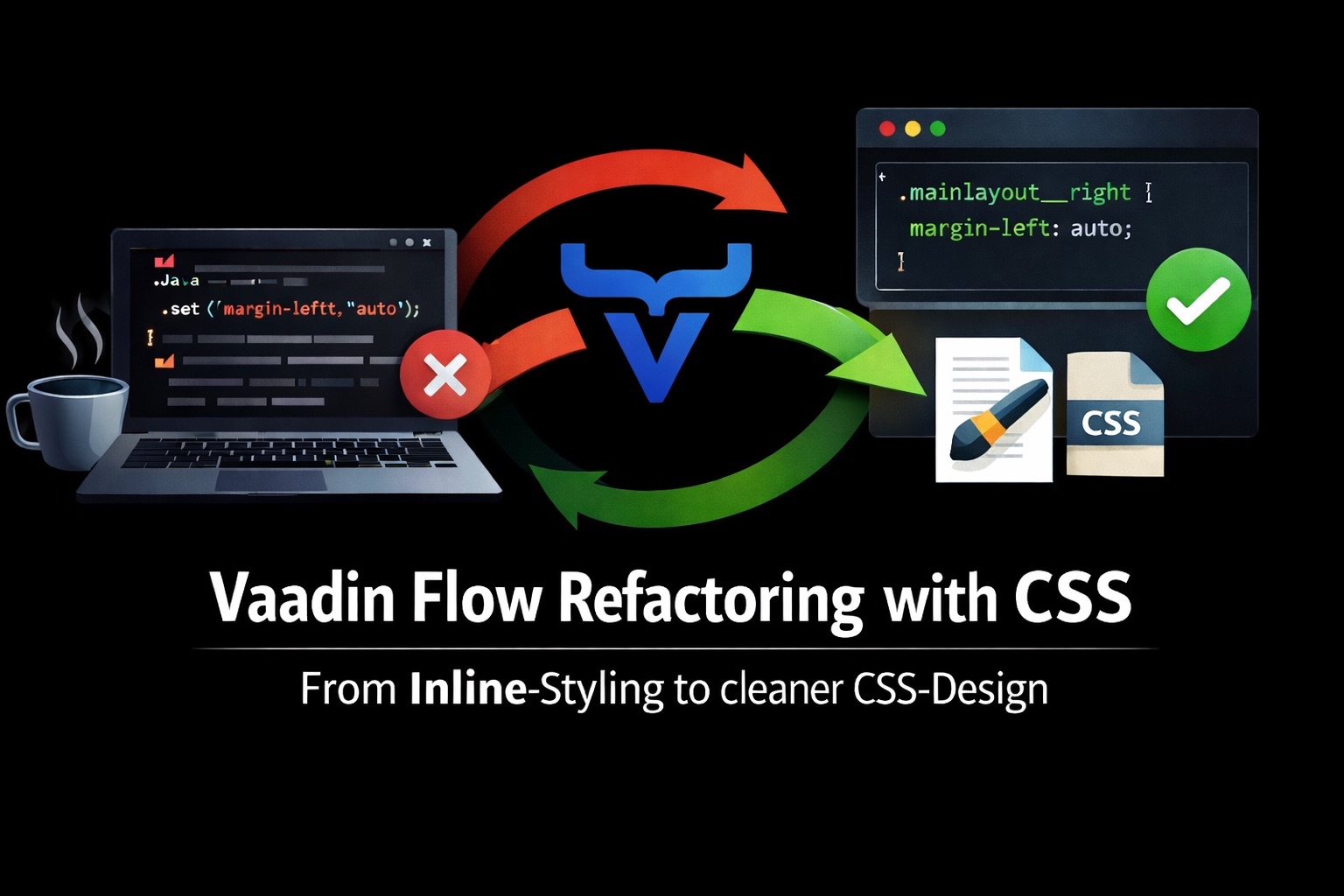

Vaadin Flow enables the development of complete web applications exclusively in Java. Components, layouts, navigation, and even complex UI structures can be modelled on the server side without working directly with HTML or JavaScript. This approach is one of the main reasons why Vaadin is especially popular in Java-centric projects.
However, as a project grows in size, a typical problem arises: styling is often done directly in Java code. Vaadin allows this conveniently via the getStyle().set(…) method. This allows you to adjust spacing, colours, or layout properties quickly. In small prototypes, this procedure initially seems harmless and even practical.
- The problem with inline styling in Vaadin Flow
- Separation of structure and presentation: Java vs CSS
- Replace inline styles with CSS classes
- Structure of CSS Files in a Vaadin Flow Application
- Refactoring Real Views: Examples from the URL Shortener
- Best Practices for CSS in Vaadin Flow Applications
- Conclusion of the refactoring
In larger applications, however, this practice quickly leads to a code state that is difficult to maintain. Styling information is spread over numerous views and components. Changes to the design have to be made throughout the Java code. Reusability of styles becomes virtually impossible, and the distinction between UI logic and presentation layer becomes increasingly blurred.
A typical example in many Vaadin projects looks something like this:
component.getStyle()
    .set("padding", "var(--lumo-space-m)")
    .set("border-radius", "var(--lumo-border-radius-l)");
Such constructs can often be found in almost every view. Over time, a mixture of layout logic, component structure and CSS definitions emerges directly in Java code.
In the open-source project URL-Shortener, exactly this problem became apparent. Several views contained inline styling, which was originally intended for quick UI adjustments. However, as functionality grew, it became clear that this pattern is not sustainable in the long term.
The goal of the following refactoring was therefore clearly defined:
- Remove inline styling from views
- Introduction of clear CSS classes
- Clean separation between structure (Java) and presentation (CSS)
- Better maintainability and reusability of the UI
The article describes step by step how an existing Vaadin UI can be converted from inline styling to a structured CSS architecture. The examples come directly from the real application and show typical situations that occur in many Vaadin projects.
This is not about making Vaadin completely CSS-driven. Vaadin remains a server-side UI framework. Rather, it is about establishing a clear division of responsibilities: Java defines the structure of the user interface, while CSS handles its visual design.
This seemingly small change has a significant impact on the maintainability of an application – especially if a Vaadin application is developed over the years.
The problem with inline styling in Vaadin Flow#
At first glance, the getStyle().set(…) method in Vaadin Flow seems extremely practical. With just a few lines, spacing can be adjusted, layout problems corrected, or colours changed – directly in the Java code of the respective view. Especially in early project phases or during prototype development, this approach seems quick and uncomplicated.
In real applications, however, a different development often emerges. As a project grows in size, inline styles spread across multiple views. What were initially only small adjustments gradually became a large number of local layout and styling corrections that are implemented directly in the Java code.
For example, a typical snippet from a Vaadin application might look like this:
component.getStyle().set("padding", "var(--lumo-space-m)");
layout.getStyle().set("gap", "var(--lumo-space-l)");
button.getStyle().set("margin-left", "auto");
Each of these lines is harmless in itself. Taken together, however, they lead to several structural problems.
Firstly, the styling is spread over the entire application. Instead of a central place where the visual appearance is defined, design decisions are spread across many different Java classes. If, for example, the spacing of a layout or the display of certain components is to change later, developers must first find the appropriate places in the code.
Secondly, reusability is made more difficult. Many layout patterns – such as map layouts, typical spacing, or alignments – appear multiple times in an application. However, if these are defined as inline styles, they exist again in each view. Changes then have to be made in several places.
Third, inline styling blurs the architectural separation between structure and representation. Java classes actually define the structure of the user interface, orchestrate components, and respond to user interactions. When CSS properties are integrated directly into these classes, presentation logic mixes with the UI’s structural definition.
This problem is particularly evident in larger Vaadin applications developed over a longer period. Small visual adjustments accumulate, and individual getStyle().set(…) calls, an implicit styling strategy gradually emerges – spread across numerous classes.
In the open-source project URL-Shortener, exactly this pattern emerged. In several views, including MainLayout, AboutView and CreateView, layout and styling adjustments were made directly in Java code. Although the application remained functionally correct, the UI’s visual behaviour became increasingly difficult to understand.
The refactoring was therefore not just aimed at removing individual style calls. Instead, a clear rule should be introduced:
Java defines the structure of the user interface – CSS defines its visual design.
At first, this separation seems like a small organisational change. In practice, however, it significantly improves the application’s maintainability. Styles can be defined centrally, reused, and used consistently across multiple views.
The following sections show step by step how this separation can be implemented in an existing Vaadin Flow application.
Separation of structure and presentation: Java vs CSS#
Now that the problems of inline styling in Vaadin Flow have become clear, the central question arises: How can a clean separation be created between the structure of the user interface and its visual representation?
In classic web applications, this division is clearly defined. HTML describes the structure of the page, CSS controls the visual appearance, and JavaScript handles interactions and logic. In Vaadin Flow, this architecture shifts slightly because the UI structure is defined entirely in Java. Nevertheless, the basic idea remains: structure and presentation should be kept separate.
Structure belongs in Java.#
Java defines the structure of the user interface in a Vaadin application. These include, in particular:
the composition of components
- Layout Structures
- Navigation and routing
- Event Handling
- Data Binding
A typical example is the structure of a layout:
VerticalLayout container = new VerticalLayout();
container.add(new H2("Create new short links"), form, actions);
Here, the code describes only the structure of the interface: which components are present and how they are arranged.
Appearance belongs in CSS.#
The visual representation of the components, on the other hand, should be defined via CSS. These include, but are not limited to:
- Spacing and padding
- Colours and backgrounds
- Shadows and Borders
- Typography
- responsive layout adjustments
For example, instead of setting padding directly in Java code
component.getStyle().set(“padding”, “var(–lumo-space-m)”);
A CSS class is used:
component.addClassName(“card”);
The actual visual definition is then in the stylesheet:
.card {
  padding: var(--lumo-space-m);
  border-radius: var(--lumo-border-radius-l);
}
This division ensures that layout decisions can be managed centrally rather than spread across several views.
Advantages of this separation#
The consistent separation between Java structure and CSS presentation has several advantages.
First, the Java code will be much more readable. Views focus on the composition of the UI components without being overloaded by styling details.
Second, styles can be centrally managed and reused. Once a CSS class has been defined, it can be used across different views without layout rules repeating in the code.
Third, the application’s maintainability is improved. Changes to the design do not require adjustments in numerous Java classes, but can be made centrally in the stylesheet.
Especially in larger Vaadin projects with several developers, it quickly becomes apparent how important this clear division of responsibility is.
In the next section, we will use concrete examples from the application to show how existing inline styles can be replaced by CSS classes step by step.
Replace inline styles with CSS classes#
Once the basic separation between structure (Java) and presentation (CSS) has been defined, a practical question arises in existing Vaadin applications: How can an existing codebase be gradually converted from inline styling to CSS classes?
In practice, the changeover usually takes place incrementally. Instead of refactoring the entire application at once, individual views or components are cleaned up first. Direct style definitions in the Java code are removed and replaced by CSS classes.
Case in point#
A common pattern in Vaadin views is to control layout behaviour directly via inline styles. An example from the application is moving a component to the right end of a layout.
For example, before refactoring, the code looked like this:
storeIndicator.getStyle().set(“margin-left”, “auto”);
The code serves its purpose: the component is moved to the right. The problem, however, is that this layout rule is now firmly anchored in Java code.
Step 1: Introduce a CSS class#
Instead of setting the Style property directly, a suitable CSS class is first defined. This is typically located in the application’s global stylesheet file.
.mainlayout-right {
  margin-left: auto;
}
The advantage of this solution is that the layout rule is now centrally defined and can be reused by several components.
Step 2: Using the class in Java code#
The next step is to remove the inline style in the Java code and replace it with the CSS class.
storeIndicator.addClassName(“mainlayout-right”);
This means that the Java code remains solely responsible for the UI’s structure. The component’s visual alignment is controlled entirely by CSS.
Another example from a view#
Larger layout definitions can also be cleaned up in this way. In many Vaadin views, for example, constructs such as:
container.getStyle()
        .set("border-radius", "var(--lumo-border-radius-l)")
        .set("gap", "var(--lumo-space-l)");
These style definitions can be converted into a CSS class:
.card-container {
  border-radius: var(--lumo-border-radius-l);
  gap: var(--lumo-space-l);
}
In Java code, the definition is then reduced to:
container.addClassName(“card-container”);
Benefits of this approach#
This refactoring results in several improvements.
First , the Java code will be much more compact and easier to read. Layout details disappear from the View classes.
Second , styles can be managed centrally. Layout changes only need to be made at one point in the stylesheet.
Third , it creates a consistent visual language within the application by leveraging reusable CSS classes.
The migration of inline styles to CSS classes is therefore a central step in keeping Vaadin applications maintainable in the long term.
The next chapter shows where CSS files are stored in a Vaadin Flow application and how they are correctly integrated.
Structure of CSS Files in a Vaadin Flow Application#
Now that inline styles have been removed from the Java code and replaced with CSS classes, the next important question arises: Where should these CSS definitions be stored in a Vaadin flow application?
Vaadin Flow is internally based on Web Components and uses the application’s frontend directory to provide static resources such as stylesheets, JavaScript, or images. For CSS, this results in a clear structure that has proven itself in practice.
The frontend directory#
In a typical Vaadin application, there is a directory called frontend. This contains all resources that are loaded directly by the browser.
For example, a commonly used structure looks like this:
frontend/
** styles/**
** main.css**
** layout.css**
** components.css**
Within this folder, the styles can be logically organised by area of responsibility.
- main.css contains basic styles of the application
- layout.css defines layout rules
- components.css includes reusable component styles
This splitting prevents all styles from ending up in a single file and facilitates long-term maintenance.
Integration of styles in Vaadin#
For the CSS files to take effect in the application, they must be loaded by Vaadin. This is typically done via annotations such as @CssImport.
An example in a central layout class might look like this:
@CssImport("./styles/main.css")
public class MainLayout extends AppLayout {
    ...
}
Once this annotation is in place, the styles defined in it become available throughout the application.
Alternatively, you can use a global theme, in which styles are loaded automatically. In this case, the CSS files are located in the directory, for example:
frontend/themes/
This approach is particularly recommended in larger applications, as the theme serves as a central point for all design decisions.
Separation of layout and component styles#
Another best practice is to distinguish between layout styles and component styles.
Layout styles describe, for example:
- Container spacing
- Grid or Flex Layouts
- responsive behavior
Component styles, on the other hand, define the visual appearance of reusable UI elements such as cards, badges, or toolbars.
This separation prevents layout rules and visual component logic from being mixed.
Consistent naming of CSS classes#
To ensure that CSS classes remain understandable in the long term, a consistent naming convention should be used.
One possible pattern is based on the respective view or component:
.about-card
.about-hero
.mainlayout-right
.searchbar-container
This makes it immediately recognisable which area of the application a certain style belongs to.
A clearly structured CSS organisation is the basis for ensuring that the previously introduced separation between Java and CSS is permanent.
While Java continues to define the structure and behaviour of the user interface, the application’s visual appearance is centrally controlled via stylesheets. This reduces redundancies, facilitates design changes, and ensures a consistent user interface across all views.
The next chapter shows how concrete refactorings in the application were implemented and which patterns proved particularly helpful.
Refactoring Real Views: Examples from the URL Shortener#
The principles described so far – the separation of structure and presentation, as well as the replacement of inline styles with CSS classes – can best be understood through concrete examples. In the open-source project URL-Shortener, several views were gradually refactored to implement this separation.
This chapter shows how existing Vaadin code has been adapted and which patterns have proven to be particularly practical.
Example 1: MainLayout#
In the MainLayout, an inline style was originally used to move an element to the right within a layout.
Before refactoring, the code looked like this:
storeIndicator.getStyle().set(“margin-left”, “auto”);
This solution works technically flawlessly, but leads to layout rules being defined directly in Java code.
After the refactoring, a CSS class was introduced instead.
Java:
storeIndicator.addClassName(“layout-spacer-right”);
CSS:
.layout-spacer-right {
  margin-left: auto;
}
The layout rule is now exclusively in the stylesheet, while the Java code only contains the structural information that this component has a specific layout role.
Example 2: Map layout in the AboutView#
The AboutView uses multiple containers that are visually represented as maps. Originally, these layout rules were defined directly via style calls.
Typical inline code looked something like this:
card.getStyle()
    .set("background", "var(--lumo-base-color)")
    .set("border-radius", "var(--lumo-border-radius-l)")
    .set("box-shadow", "var(--lumo-box-shadow-s)");
These styles were then converted into a reusable CSS class.
CSS:
.card {
  background: var(--lumo-base-color);
  border-radius: var(--lumo-border-radius-l);
  box-shadow: var(--lumo-box-shadow-s);
  padding: var(--lumo-space-l);
}
Java:
card.addClassName(“card”);
The advantage is that all cards in the application now have a consistent appearance, and changes can be made centrally.
Example 3: Structured layout classes#
Another pattern is to name layout roles via CSS classes explicitly. Instead of generic styles, semantic classes are introduced to describe an element’s purpose.
Examples include:
.searchbar-container
.bulk-actions-bar
.overview-grid
Such classes make it easier to understand the application’s CSS layout.
Refactoring as an incremental process#
It is important to note that this change need not occur in a single step. In practice, an incremental approach has proven to be effective.
- New components are developed directly with CSS classes
- Existing inline styles will be refactored when the opportunity arises
- Recurring style patterns are gradually centralised
In this way, an existing Vaadin application can be converted into a cleanly structured CSS architecture without major risks.
The examples from the URL shortener show that even small refactorings can have a significant impact on an application’s maintainability. Removing inline styles makes the Java code clearer, while the visual design can be maintained centrally in the stylesheet.
The next chapter identifies the general best practices that can be derived from this refactoring and how to apply them in future Vaadin projects.
Best Practices for CSS in Vaadin Flow Applications#
After the refactoring of the existing views is complete, the question arises: which general rules can be derived from this? In practice, it has been shown that a few simple principles are already sufficient to keep Vaadin Flow applications maintainable and consistent in the long term.
This chapter summarises the most important best practices that have proven themselves during the conversion of the URL Shortener project.
Java describes structure – CSS describes representation#
The most important rule is also the simplest: Java defines the structure of the user interface, CSS defines its visual design.
In Vaadin, the entire UI composition is modelled in Java. Layout containers, components and their hierarchy therefore clearly belong in the Java code.
Examples of structural definitions in Java include:
- Layout containers (VerticalLayout, HorizontalLayout, FormLayout)
- Component Structure
- Event Handling
- Data Binding
Visual aspects, on the other hand, should be regulated via CSS. These include, in particular:
- Spacing
- Colors
- Shadows
- Typography
- visual highlights
This clear separation prevents UI logic and presentation details from being mixed in the same code.
CSS Classes Instead of Inline Styles#
Inline styles should only be used in exceptional cases. Instead, it is recommended to define consistent CSS classes and bind them to components via addClassName().
Example:
component.addClassName(“card”);
The visual definition is then done in the stylesheet:
.card {
  padding: var(--lumo-space-m);
  border-radius: var(--lumo-border-radius-l);
}
This approach ensures that layout rules can be maintained centrally.
Leveraging Lumo Design Variables#
Vaadin uses Lumo, a consistent design system that provides numerous CSS variables.
Typical examples are:
- --lumo-space-m
- --lumo-border-radius-l
- --lumo-box-shadow-s
- --lumo-primary-color
These variables should be used preferably, as they automatically harmonise with the chosen theme and ensure consistent spacing and colours.
An example:
.card {
  padding: var(--lumo-space-l);
  border-radius: var(--lumo-border-radius-l);
}
Semantic Class Names#
CSS classes should not only describe how something looks, but what role an element plays in the layout.
Less helpful would be, for example, names like:
- .box1
- .red-border
- .container-large
Semantic names that are based on views or components are better:
- .about-card
- .searchbar-container
- .bulk-actions-bar
- .overview-grid
This means that even in larger style sheets, it remains clear to which area of the application a style belongs.
Use responsive layouts consciously#
Vaadin already provides many mechanisms for responsive layouts, including FormLayout, FlexLayout, and SplitLayout.
For example, FormLayouts can be configured directly via Java:
form.setResponsiveSteps(
    new FormLayout.ResponsiveStep("0", 1),
    new FormLayout.ResponsiveStep("900px", 2)
);
These structural layout decisions belong in the Java code by design, as they are part of the UI composition. CSS then only complements the visual behaviour.
Inline Styles as a Deliberately Used Exception#
Despite all the recommendations, there are situations in which inline styles can be useful.
Typical examples are:
- dynamically calculated layout values
- short-term UI adjustments
- experimental prototypes
However, it is important that these cases remain the exception and do not become the default style of an application.
The combination of a clear division of responsibility, reusable CSS classes and consistent design variables results in a much more maintainable Vaadin application.
Especially in projects developed over a longer period, this structure quickly pays off. Changes to the visual design can be implemented centrally, while the Java code continues to describe only the user interface’s structure and behaviour.
Conclusion of the refactoring#
The switch from inline styling to a clearly structured CSS architecture may seem like a small cosmetic change at first glance. In practice, however, it quickly becomes apparent that this refactoring has a profound impact on the maintainability and comprehensibility of a Vaadin Flow application.
In the original state of the application, many layout and display details were anchored directly in the Java code of the views. Method calls such as getStyle().set(…) provided quick UI adjustments in the short term but, in the long term, led to a mixing of structure and presentation. The result was a codebase in which design decisions were spread across numerous classes.
With the introduction of CSS classes and the consistent outsourcing of visual properties to style sheets, this mixing has been broken up again. Java now only describes the structure of the user interface: components, layout containers, navigation and interactions. The visual design, on the other hand, is defined centrally via CSS.
This separation brings several immediate benefits.
First, the Java code’s readability improves significantly. Views focus on the user interface’s composition without being overwhelmed by layout details. Developers can more quickly understand which structure a view has and which components interact with each other.
Second, the application’s design becomes more consistent. Reusable CSS classes ensure that similar components in different views are also visually identical. Changes to the appearance can be made centrally in the stylesheet without adapting numerous Java classes.
Thirdly, this structure facilitates team collaboration. Developers can focus on the Java side of the application, while design adjustments can be made independently in CSS. Especially in larger projects, this reduces conflicts and simplifies further UI development.
The refactoring of the URL shortener project has shown that even relatively small changes to the style structure can have a big impact on long-term maintainability. Especially in applications developed over the years, a clear separation between structure and presentation quickly pays off.
Vaadin Flow remains a server-side UI framework that puts Java at the centre of UI development. Nevertheless, such an architecture also benefits significantly from the classic principles of web development: structure, presentation, and behaviour should be clearly separated.
If you apply this basic rule consistently, you will get a Vaadin application that is not only functionally stable but also remains understandable and maintainable in the long term.