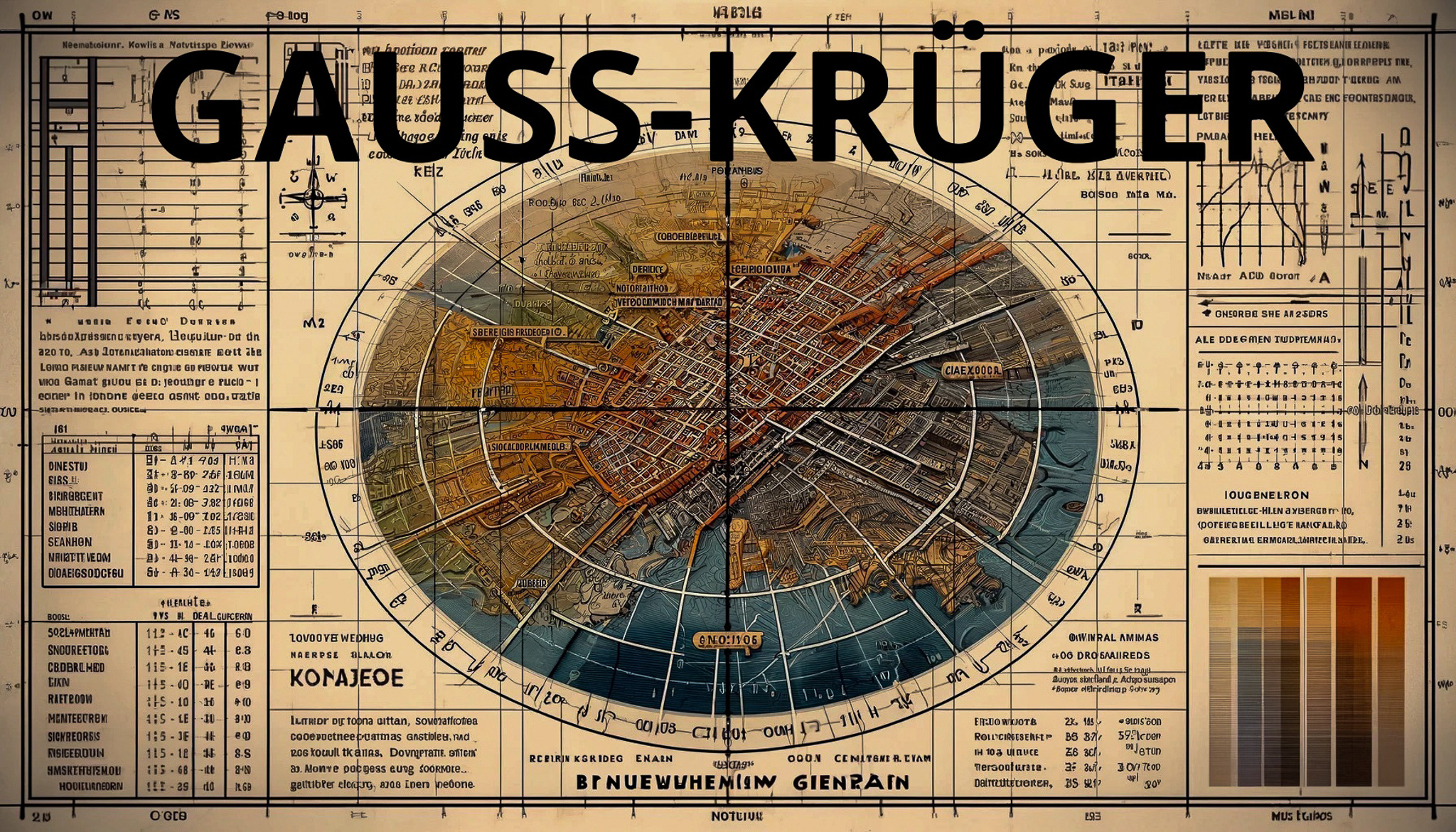

Transverse Mercator Projection :#
The Gauss-Krüger system uses the transverse Mercator projection, which means the cylindrical projection is rotated 90 degrees. This allows for better accuracy over long north-south extents.
- Transverse Mercator Projection:
- Ellipsoid:
- Zones:
- Coordinates:
- Carl Friedrich Gauss (1777-1855)
- Johann Heinrich Louis Krüger (1857-1923)
- Development of the Gauss-Krüger Coordinate System
- Technical Features
- Modern Developments and Usage
- Step-by-Step Conversion Process
- Example Conversion
- Online Tools:
- Using Java:
Ellipsoid :#
The system is based on an ellipsoid model of the Earth, which is more accurate than a spherical model. Different regions might use slightly different ellipsoids, but a common one used in Europe is the Bessel 1841 ellipsoid.
Zones :#
The Gauss-Krüger system divides the area into longitudinal zones that are 3° wide. Each zone has its own central meridian. This helps to reduce distortions within each zone. Zone numbering usually starts at a prime meridian (often 9° E or 15° E) and increases by 3° for each zone.
Coordinates :#
Coordinates are expressed in meters. The system uses false easting and false northing to ensure that all coordinates within a zone are positive.
Easting (X) : Measured in meters from the zone’s central meridian.
Northing (Y) : Measured in meters from the equator.
Accuracy and Usage :#
The Gauss-Krüger system is beneficial for large-scale (detailed) maps due to its high accuracy over short distances. It is commonly used in civil engineering, cadastral mapping, and various geospatial applications within Germany and neighbouring countries.
Conversion to WGS84 :
Converting Gauss-Krüger coordinates to the more globally used WGS84 system (used in GPS) requires specific transformation parameters and sometimes complex algorithms due to the differences in ellipsoid and projection methods.
Software and Tools :
Various GIS software (like ArcGIS, QGIS) and online tools can perform these transformations. They typically require inputting the zone number, the easting, and the northing to transform the coordinates accurately.
History of the Gauss-Krüger Coordinate System#
The Gauss-Krüger coordinate system has its roots in the early development of geodesy and map projection techniques in the 19th century. Here is a detailed history of the Gauss-Krüger coordinate system:
Carl Friedrich Gauss (1777-1855)#
Contribution to Mathematics and Geodesy :
Carl Friedrich Gauss, a German mathematician and physicist, made significant contributions to many fields, including geodesy, the science of measuring and understanding the Earth’s geometric shape. Gauss developed the mathematical foundations for the projection that bears his name, the transverse Mercator projection, which is essential for creating accurate maps of regions with large north-south extents.
Transverse Mercator Projection :
Gauss’s work on the transverse Mercator projection provided a method to project the Earth’s surface onto a plane with minimal distortion over relatively small areas. This projection uses a cylinder rotated 90 degrees, touching the Earth along a chosen meridian.
Johann Heinrich Louis Krüger (1857-1923)#
Refinement and Application :
Johann Heinrich Louis Krüger, a German geodesist, refined Gauss’s projection method and applied it to practical mapping needs. Krüger’s refinements improved the projection’s mathematical accuracy, making it more suitable for detailed surveying and mapping work.
Development of the Gauss-Krüger Coordinate System#
Germany and Central Europe :
The Gauss-Krüger coordinate system was adopted primarily in Germany and other Central European countries for detailed topographic and cadastral mapping. The system divides the region into longitudinal zones, each 3° wide, with a central meridian. This minimises distortion and ensures high accuracy over small areas.
Ellipsoid Models :
The system uses specific ellipsoid models, such as the Bessel 1841 ellipsoid, which closely approximates the shape of the Earth in these regions.
Technical Features#
False Easting and Northing :
The system applies a false easting and northing to ensure that all coordinates within a zone are positive. Typically, the central meridian is assigned a false easting of 500,000 meters, and the equator is assigned a false northing.
Zone-Based System :
Each zone has its coordinate system, reducing the complexity of calculations and distortions. The zones are numbered, usually starting from a prime meridian (e.g., 9°E) and increasing by 3° for each subsequent zone.
Modern Developments and Usage#
Integration with Global Systems :
With the advent of global positioning systems (GPS) and the universal adoption of the WGS84 ellipsoid, many regions have transitioned to the UTM (Universal Transverse Mercator) system for broader compatibility. However, the Gauss-Krüger system is still used for specific applications requiring high precision and historical continuity in countries like Germany.
Software and Digital Mapping :
Modern GIS (Geographic Information Systems) software supports the Gauss-Krüger projection, allowing for easy conversion between coordinate systems and integration with global datasets.
The Gauss-Krüger coordinate system is a significant development in the history of cartography and geodesy. It combines the foundational work of Carl Friedrich Gauss and the practical refinements of Johann Heinrich Louis Krüger. Its precise and detailed approach to mapping has made it a valuable tool in Europe, particularly for topographic and cadastral mapping. While global systems like UTM are now more widely used, the Gauss-Krüger system remains integral to geospatial history and practice.
How do you convert Coordinates into UTM Coordinates?#
Converting Gauss-Krüger coordinates to UTM (Universal Transverse Mercator) coordinates involves a few steps. Both systems are based on the transverse Mercator projection but use different parameters and zone definitions. Here’s a step-by-step guide on how to perform this conversion:
Step-by-Step Conversion Process#
Identify the Gauss-Krüger Zone :
Determine the Gauss-Krüger zone of your coordinates. Gauss-Krüger zones are typically 3° wide.
Central Meridian of Gauss-Krüger Zone :
Each Gauss-Krüger zone has a central meridian, which is usually a multiple of 3° (e.g., 9°E, 12°E, 15°E, etc.).
Translate to Geodetic Coordinates (Latitude and Longitude) :
Convert the Gauss-Krüger coordinates (easting and northing) to geodetic coordinates (latitude and longitude). This requires:
- The ellipsoid parameters (e.g., Bessel 1841 for Germany).
- The false easting (usually 500,000 meters).
- Applying the inverse transverse Mercator projection.
Determine the UTM Zone :
Determine the appropriate UTM zone for the longitude obtained from the geodetic coordinates. UTM zones are 6° wide.
Convert to UTM Coordinates :
Convert the geodetic coordinates to UTM coordinates using:
- The WGS84 ellipsoid parameters (commonly used for UTM).
- The UTM zone central meridian.
- Applying the transverse Mercator projection to obtain the UTM easting and northing.
Example Conversion#
Let’s walk through an example to make it more transparent.
Given :
Gauss-Krüger coordinates: Easting = 3550000 meters, Northing = 5800000 meters. Gauss-Krüger zone central meridian: 12°E (assuming it’s in zone 4)
Translate Gauss-Krüger to Latitude and Longitude :
Use the inverse Gauss-Krüger projection to convert (3550000, 5800000) to latitude and longitude. Due to the complexity of the inverse projection, this step typically requires software or detailed formulas.
Example Result :
Let’s assume the resulting geodetic coordinates are:
- Latitude: 52.0°N
- Longitude: 13.0°E
Determine UTM Zone :
Longitude 13.0°E falls in UTM zone 33U (UTM zones range from 1 to 60, each 6° wide).
Convert to UTM Coordinates :**
Use the transverse Mercator projection with WGS84 parameters and the central meridian of zone 33 (15°E) to convert latitude 52.0°N and longitude 13.0°E to UTM coordinates.
Online Tools:#
Websites like https://epsg.io/ or other geospatial transformation tools can also perform these conversions.
Using Java:#
To convert Gauss-Krüger coordinates to UTM coordinates in Java, you can use libraries such as Proj4j, which is a Java port of the “PROJ.4” library (https://de.wikipedia.org/wiki/PROJ.4) used for performing cartographic transformations. Here’s how you can perform the conversion step-by-step:
Add Proj4j Library to Your Project :
If you are using Maven, add the following dependency to your pom.xml:
<dependency>
       <groupId>org.locationtech.proj4j</groupId>
       <artifactId>proj4j</artifactId>
       <version>1.1.0</version>
   </dependency>
Define the Coordinate Reference Systems :
You will need to define the Gauss-Krüger and UTM coordinate reference systems.
Perform the Conversion :
Convert Gauss-Krüger coordinates to geodetic coordinates (latitude and longitude). Convert the geodetic coordinates to UTM coordinates.
Here is an example Java program that demonstrates this process:
import org.locationtech.proj4j.CRSFactory;
import org.locationtech.proj4j.CoordinateReferenceSystem;
import org.locationtech.proj4j.ProjCoordinate;
import org.locationtech.proj4j.Projection;
import org.locationtech.proj4j.ProjectionFactory;
import org.locationtech.proj4j.ProjectionTransform;
public class GaussKrugerToUTMConverter {
    public static void main(String[] args) {
        // Create a CRSFactory instance
        CRSFactory factory = new CRSFactory();
        // Define the Gauss-Krüger CRS (EPSG:31468 for zone 4)
        CoordinateReferenceSystem gaussKrugerCRS = factory.createFromName("EPSG:31468");
        // Define the UTM CRS (EPSG:32633 for UTM zone 33N)
        CoordinateReferenceSystem utmCRS = factory.createFromName("EPSG:32633");
        // Define the source coordinates in Gauss-Krüger (example values)
        double gkEasting = 3550000;
        double gkNorthing = 5800000;
        // Create a ProjCoordinate object for the input coordinates
        ProjCoordinate gkCoord = new ProjCoordinate(gkEasting, gkNorthing);
        // Create a ProjCoordinate object for the intermediate geodetic coordinates
        ProjCoordinate geoCoord = new ProjCoordinate();
        // Create a ProjectionTransform object to convert from Gauss-Krüger to geodetic
        ProjectionTransform gkToGeoTransform = new ProjectionTransform(gaussKrugerCRS.getProjection(), ProjectionFactory.getGeographic());
        // Transform Gauss-Krüger to geodetic coordinates (longitude, latitude)
        gkToGeoTransform.transform(gkCoord, geoCoord);
        // Print the geodetic coordinates (longitude, latitude)
        System.out.println("Geodetic coordinates: Longitude = " + geoCoord.x + ", Latitude = " + geoCoord.y);
        // Create a ProjCoordinate object for the final UTM coordinates
        ProjCoordinate utmCoord = new ProjCoordinate();
        // Create a ProjectionTransform object to convert from geodetic to UTM
        ProjectionTransform geoToUtmTransform = new ProjectionTransform(ProjectionFactory.getGeographic(), utmCRS.getProjection());
        // Transform geodetic coordinates to UTM coordinates
        geoToUtmTransform.transform(geoCoord, utmCoord);
        // Print the UTM coordinates (easting, northing)
        System.out.println("UTM coordinates: Easting = " + utmCoord.x + ", Northing = " + utmCoord.y);
    }
}
Dependencies :
The proj4j library is added as a dependency to handle coordinate transformations.
Coordinate Reference Systems (CRS) :
The Gauss-Krüger CRS is defined using EPSG:31468 for zone 4. The UTM CRS is defined using EPSG:32633 for UTM zone 33N.
Transformation Process :
A ProjCoordinate object is created for the input Gauss-Krüger coordinates. The Gauss-Krüger coordinates are transformed into geodetic coordinates (longitude and latitude). The geodetic coordinates are then transformed to UTM coordinates.
Notes :
Ensure the epsg codes are correct for your specific regions and projections. The actual geodetic transformation can be complex due to ellipsoid differences, so precision might require specific parameters and fine-tuning.